
See your whole brain on one map
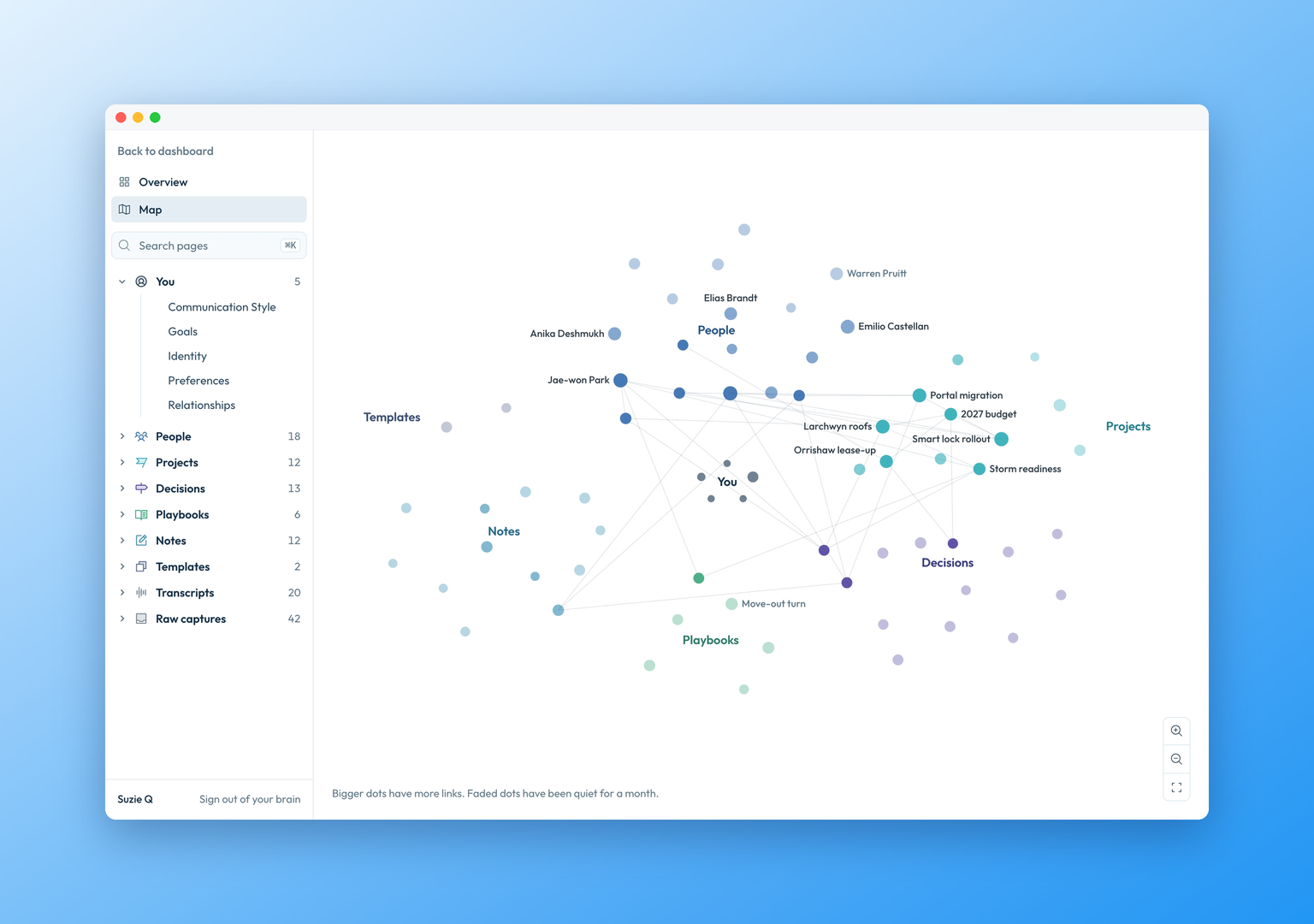
My Brain is now one place. It opens on a map of every page in your brain, grouped by section, and pages that changed in the last two weeks are marked active. Click any page to read it.
 0:00
See your whole brain at once
Every page sits on the map in its section: people, projects, decisions and the rest. Pages that changed in the last two weeks show as active.
 0:13
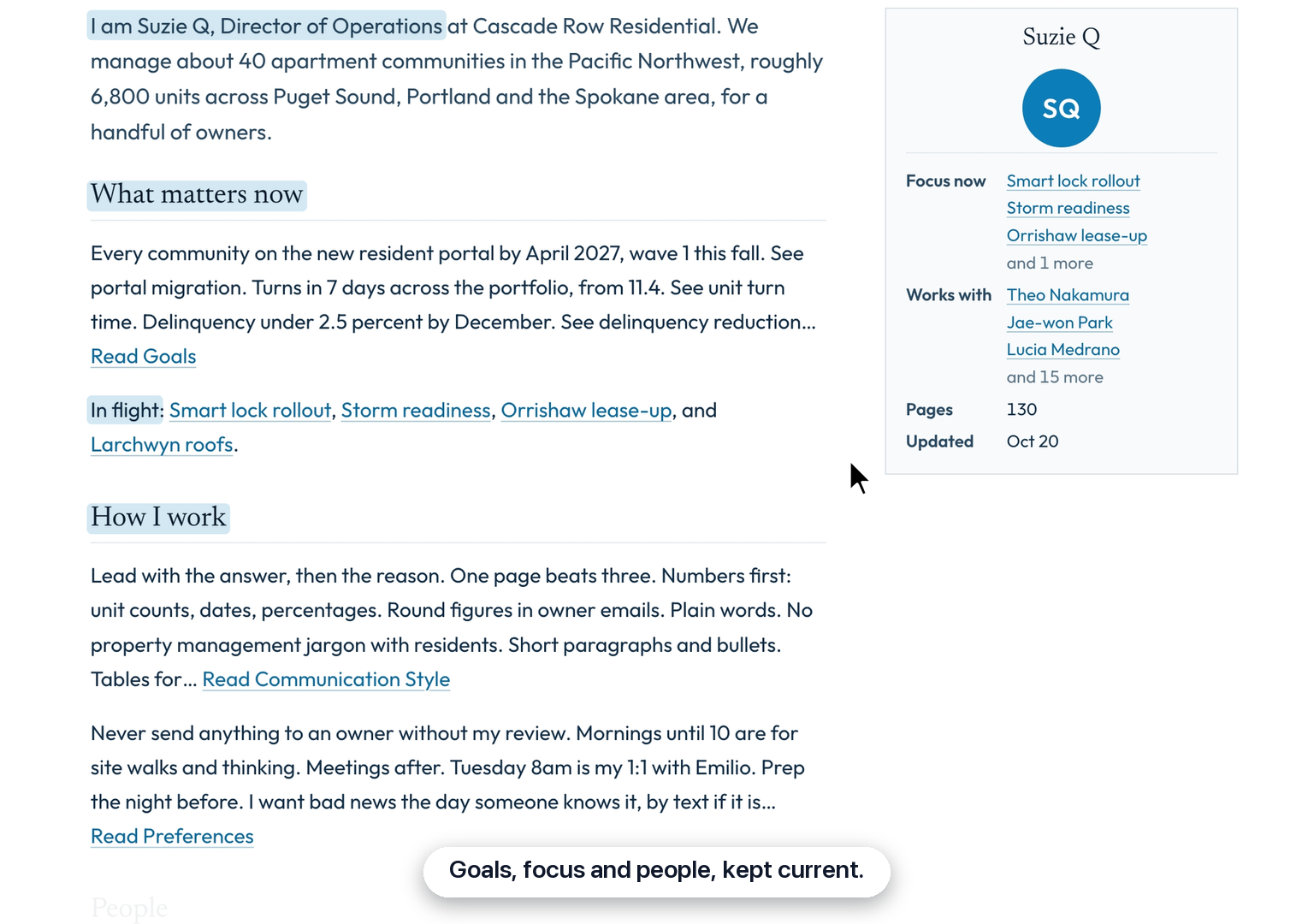
Start from your overview
Press Overview for a page about you: what matters now and the projects in flight, how you work, the people around you, and the pages that changed lately.
 0:26
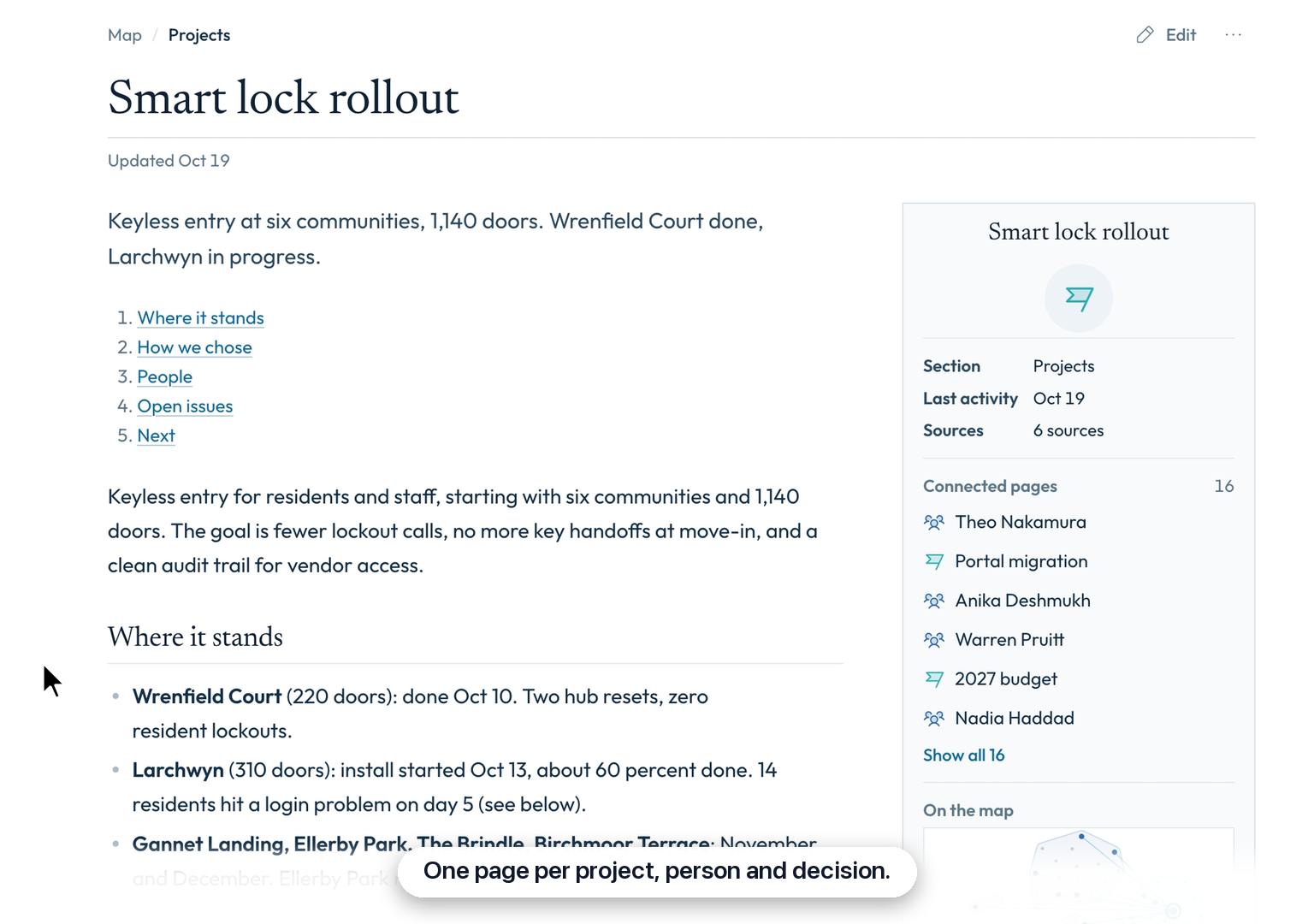
Read a page and what links to it
Click a page to open it. Beside it, Connected pages lists every page it links to or that links to it.
 0:40
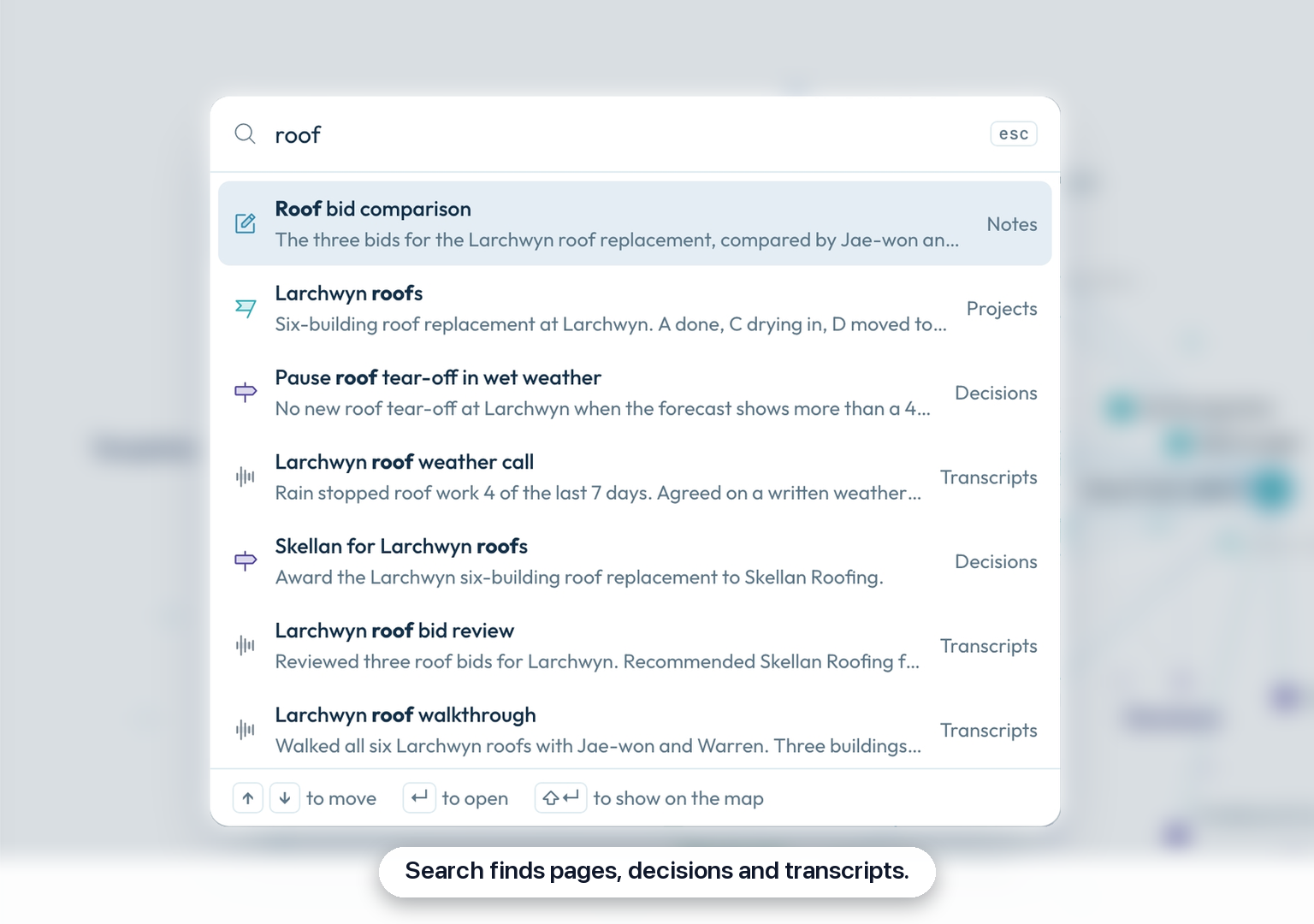
Find anything with Cmd+K
Press Cmd+K and start typing. It searches the title and summary of every page, plus your meeting transcripts and raw captures.
Questions
Where did Home and Browse go?
They are now one page, My Brain. The map replaces both. Press Overview at the top for the summary Home used to show.
Will editing a page break anything?
No. Your edits keep everything your assistant relies on. The details stored at the top of each page are kept. Saving only adds any new page links and today’s date. If a page cannot open as formatted text without changing it, it opens as plain text and tells you why.
Why aren’t my meetings on the map?
Meeting transcripts and raw captures are sources, not pages. The map only draws pages. Press Cmd+K to find a meeting transcript or a raw capture, or open them from the sidebar.
How do I link one page to another?
Type @ while you edit, then pick the page. A short list of pages opens as you type the name. Pick one and the link goes in at that spot. The @ Link a page button in the editor’s toolbar does the same. When you save, the linked page shows under Connected pages on both pages.
What do the bigger and faded dots mean?
Bigger dots have more links. Faded dots have been quiet for a month. A page with many links to and from other pages draws larger. A page nobody has changed in 30 days fades, and so does one marked archived or superseded. Pages that changed in the last two weeks are marked active.
Can I undo an edit?
Yes, until you save. While you edit, press Cmd+Z to undo a change, or press Discard to drop every change since you pressed Edit. Once you press Save page, the old text is not kept, so read the page over before you save.
What if my assistant changes a page while I’m editing it?
Nothing is overwritten. You choose which version to keep. When you press Save page, you see your version and the saved one side by side. Press Keep mine (removes their changes) to replace theirs, Take theirs to drop your edits, or Copy mine, then edit theirs to copy your text and open the newer version so you can paste in what you need.
How do I get from a meeting to the pages it mentions?
Open the meeting’s transcript and look at Connected pages. Press Cmd+K, type a word from the meeting’s title, and open its transcript. The Connected pages list beside it shows every page the meeting links to. Click one to open it.
Who else can see my brain?
Only you, and the assistant you connected to it. My Brain always opens the brain of the person signed in, so a teammate who presses it sees their own. A link your assistant gives you opens only your brain, works once, and expires after 3 minutes.
In Corridor Context: Open My Brain