
Brains
Individual brain
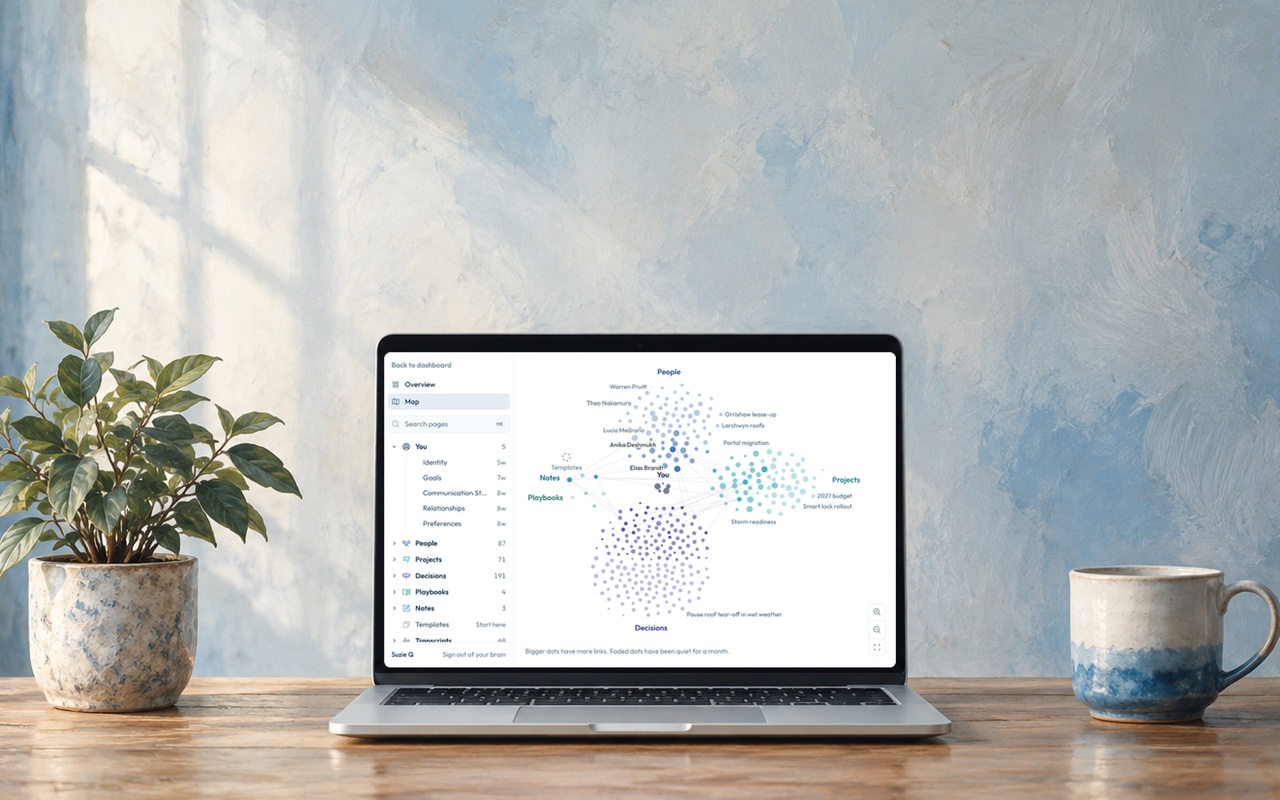
Your individual brain is a private wikipedia about you: the people you work with, the projects you’re running, the decisions you’ve made and how you like things done. Only you can see it, and your AI reads it before it answers, so you never have to explain yourself to an AI again.
What’s in it
Section titled “What’s in it”Open My Brain from the sidebar in Corridor Context. It opens in a new tab. Overview is the page about you: what you’re focused on now, who you work with, how you like to work and what changed recently.
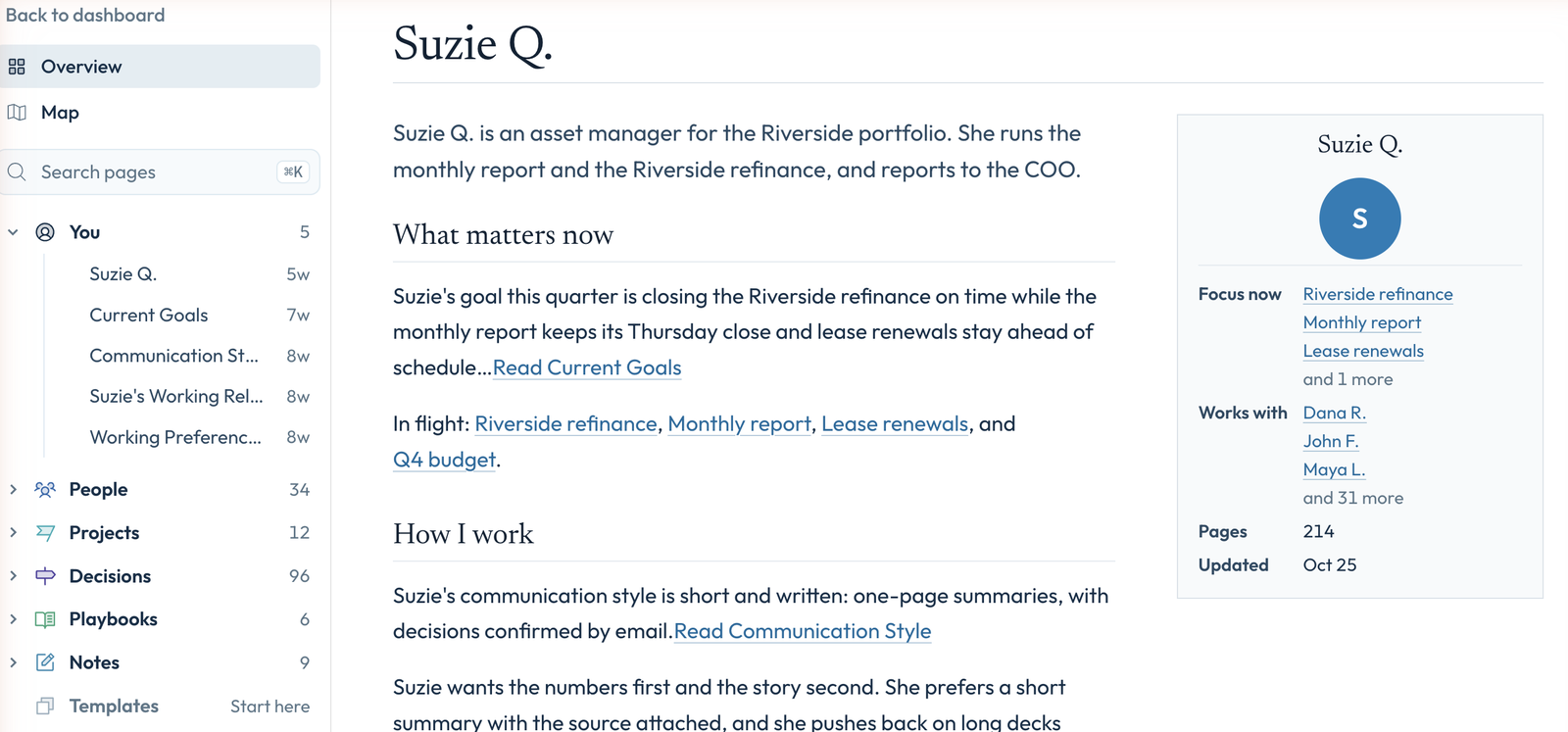
The sidebar groups the rest of your pages into sections:
- You: your goals, how you communicate and how you like to work.
- People, Projects and Decisions: a page for each person you work with, each project and each decision, which your AI keeps current.
- Playbooks and Notes: how you handle recurring work, and anything else worth keeping.
- Transcripts: every meeting the notetaker joined.
- Raw captures: the short notes your AI saved while you worked, exactly as it wrote them.
How context enters the brain
Section titled “How context enters the brain”Your brain starts with a short interview the first time you sign in. By talking or typing, you answer questions about your role, what you’re working on, the people you work with and the systems you use. Your answers become your first pages, and you check them before anything is saved. See Get started.
After that, most of your brain fills in through your AI. Once you connect your AI, say “add this to my brain” or “remember that I want weekly updates on Fridays” and it files it on the right page. Your AI also saves the decisions, preferences and corrections that come up while you work, and the notetaker files each meeting.
Fix or remove something
Section titled “Fix or remove something”Your AI maintains your brain as you work, so the best way to fix a page is to ask your AI to do it for you. For example, tell it “Dana moved to the Denver office, fix her page.” It updates the page, and the change shows up in My Brain.
You can also edit by hand. In My Brain, open any page and press Edit, or fill in the pages under You directly. To remove a page, open the ⋯ menu beside Edit and choose Delete this page.
Find something
Section titled “Find something”The fastest way is to ask your AI. Open a new chat and ask what you should focus on this week. It already knows your projects, the people involved and what you decided in last Tuesday’s meeting, so you skip the paragraph of background you used to paste in.
To look through it yourself, open My Brain. Map shows every page as a dot, grouped by section. Bigger dots have more links, and faded dots have been quiet for a month. Click any page to read it. Under Connected pages you’ll see every page it links to or that links to it.
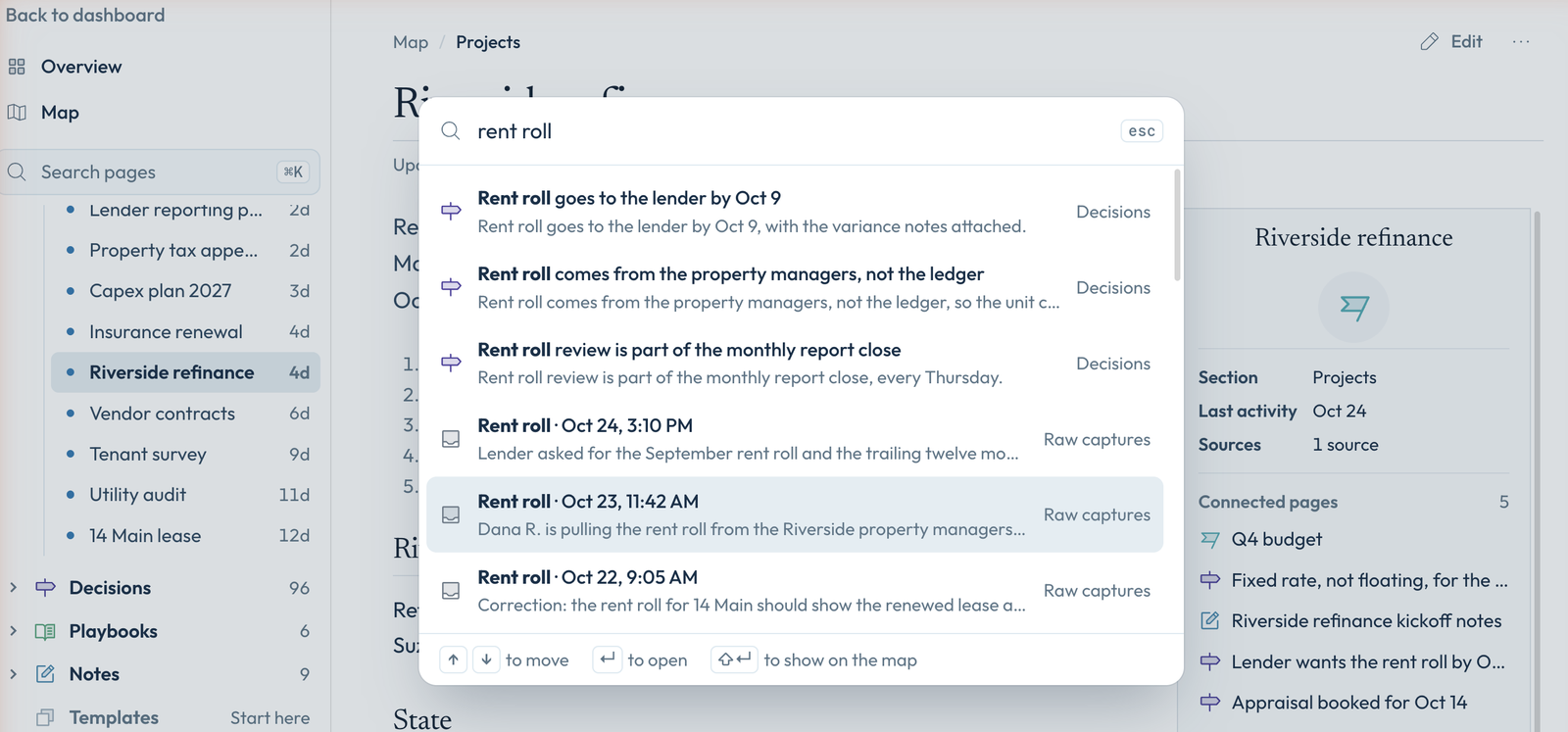
To search your pages and raw captures, click Search pages at the top of the sidebar, or press ⌘K. Press Enter to open a result, or Shift+Enter to show it on the map.
Who can see it
Section titled “Who can see it”Only you. When something you know matters to your team or the whole company, your AI suggests it to a team brain or the company brain, and a person approves it before anyone else sees it.
Questions
Section titled “Questions”Does it read my old chats?
Not on its own. You can paste past conversations into a chat and ask your AI to add what matters to your brain, and we recommend it: it’s the fastest way to fill your brain with good context.
Can I see everything it saved?
Yes. Every page is in My Brain, and every note your AI saved is under Raw captures.
Which AIs can read it?
Claude, ChatGPT, Perplexity, or any AI that lets you add a custom connector. It reads the same brain whichever one you use.